🖨️ macOS Menu Bar App

Direct Print
for POS & Web

Print receipts, tickets, and labels from any web app directly to your POS printer — no print dialog, no pop-up. Built for cashiers, restaurants, and retail on macOS. Works in Chrome, Firefox, Edge — not Safari.
⬇ Download for macOS ⬇ Free for Windows See How It Works

macOS · Windows x64 v0.3.0 · Free to try

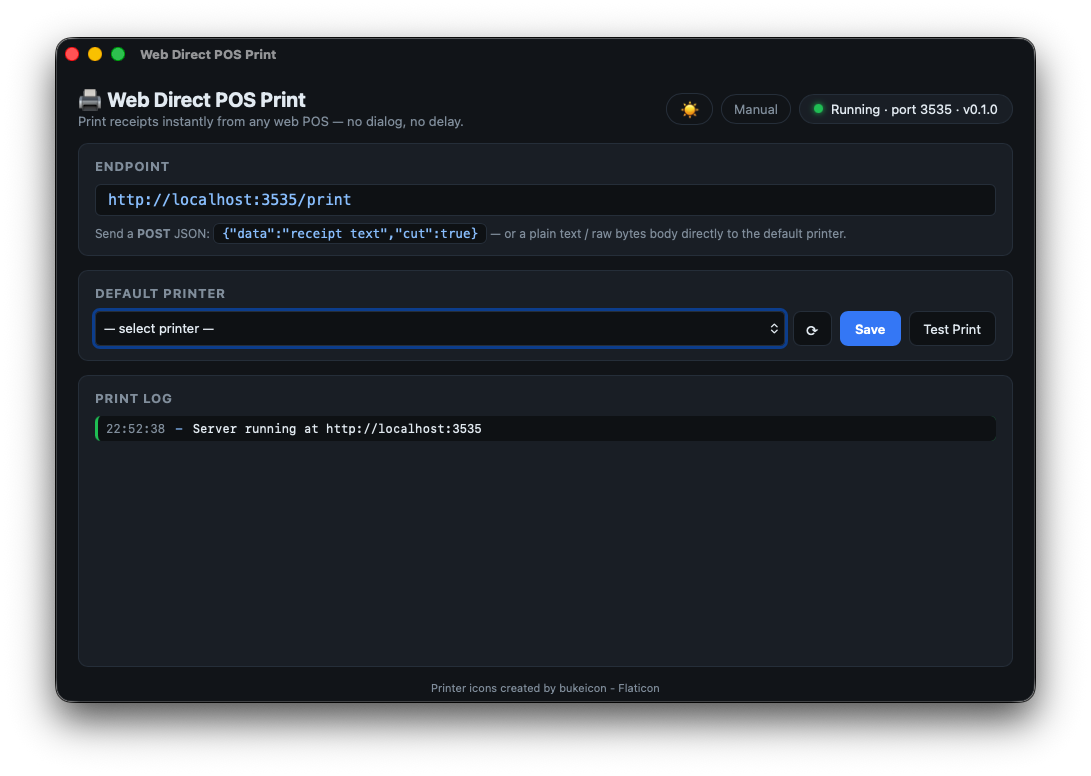
Direct Print — macOS menu bar
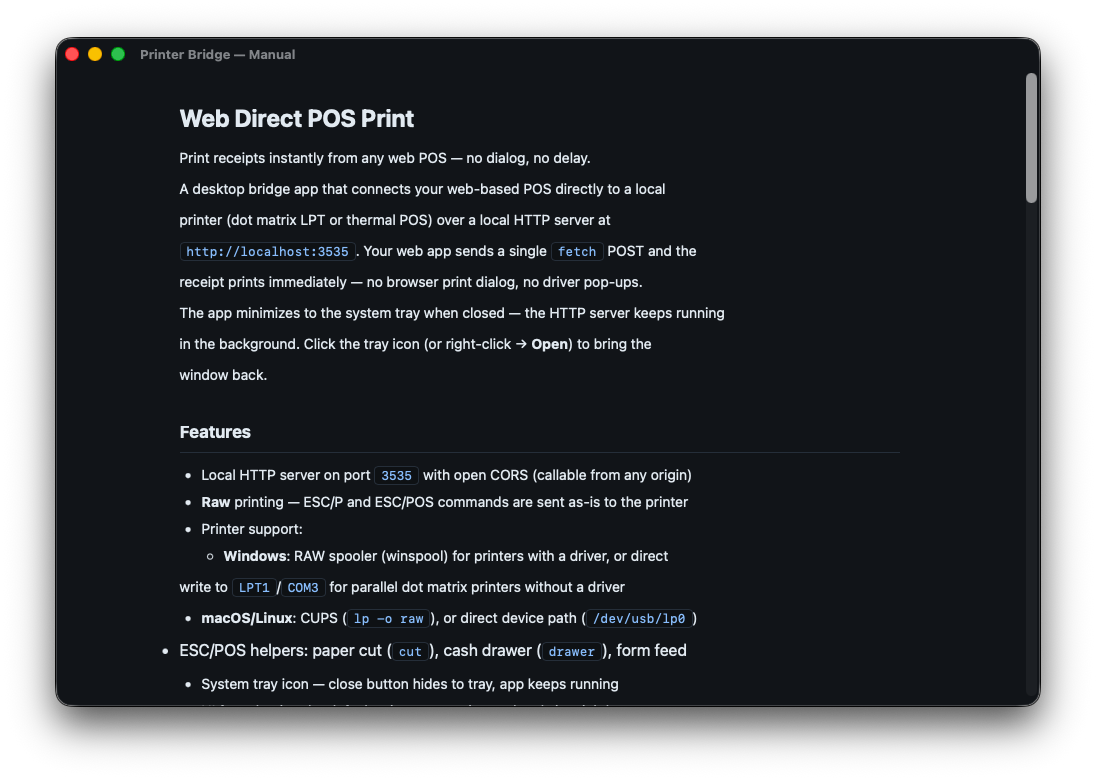
Direct Print — setup manual

vs QZ Tray

How does it compare?

Both are local bridge apps that receive print jobs from the browser and forward them to a local printer. Here's how they differ.

🖨️ Direct Print QZ Tray
Protocol HTTP REST WebSocket
Integration Plain fetch() — no library needed Requires QZ Tray JS library in your web app
Target POS receipts · ESC/POS · Dot matrix General printing (PDF, labels, receipts)
Platform macOS · Windows · Linux coming soon Windows · macOS · Linux
Setup Install app → select printer → done Install QZ Tray + add JS library + sign certificate
Certificate ✓ Not required Required for production
Raw ESC/POS ✓ Native support ✓ Supported
Logo / QR Print ✓ Built-in (URL → bitmap) Manual ESC/POS assembly
Cash Drawer drawer: true ✓ Via ESC/POS command
License Perpetual — no subscription Commercial (paid for production)
Price $4.99 one-time $599 Premium Support / year

* Pricing and features based on publicly available information. May differ from current QZ Tray offerings.

Bottom line: Direct Print is the simpler choice for web-based POS — one fetch() call and the receipt prints. QZ Tray is more powerful but requires more setup. Same core idea, different complexity.

How It Works

Three steps to silent printing

Direct Print runs quietly in your macOS menu bar and exposes a local HTTP API. Your web app calls it — the receipt prints instantly, no dialog.

Step 01
Install & Run
Download and open the app. It lives in your macOS menu bar — always on, always ready, zero Dock clutter. The HTTP server starts automatically.
Step 02
Select Your Printer
Pick your thermal receipt or dot matrix printer from the dropdown. Click Save — it becomes the default for all print jobs.
Step 03
Call the API
Your web app POSTs to localhost:3535/print. Receipt prints instantly — no dialog, no delay.
// Minimal — print to default printer, cut paper, open cash drawer
await fetch("http://localhost:3535/print", {
  method: "POST",
  headers: { "Content-Type": "application/json" },
  body: JSON.stringify({
    data: "receipt text...\n",
    cut: true,
    drawer: true,
  })
});

// Check full field reference → manual.html
Note: Works in Chrome, Firefox, Edge, and other Chromium-based browsers. Not supported in Safari — Safari blocks local HTTP requests from web pages.

Features

Everything you need for web-based POS printing

Lightweight, fast, and built specifically for macOS — no Java, no plugins, no browser extensions required.

🔕
Silent Printing
No print dialog, no confirmation pop-up. Your customer gets their receipt the moment the transaction completes.
🌐
Works with Any Web App
Whether you use a custom POS, Shopify, or your own cashier app — any web page can trigger a print via the local HTTP API.
🧾
Receipt & Label Printers
Supports thermal receipt printers (80mm, 58mm) and label printers. Works with any printer macOS recognizes.
Menu Bar App
Runs quietly in the macOS menu bar. No Dock icon, no window clutter — it's always available when you need it.
Instant Response
Local HTTP API on localhost — near-zero latency. No cloud round-trip, no internet dependency at print time.
🔒
Local & Private
Everything stays on your machine. No data leaves your network. Print jobs are never uploaded or logged remotely.
🖨️
Multi-Printer Support
Set different printers for different job types — receipts on one printer, kitchen orders on another, labels on a third.
🔧
Simple Integration
One fetch() call from JavaScript. No SDK, no driver install. If your printer is set up in macOS, Direct Print can use it.

Technical Details

Platform
macOS · Windows · Linux
App Type
System Tray App
API Protocol
HTTP REST (localhost)
Default Port
3535
Printer Types
Thermal · Dot Matrix · Label
Print Protocol
RAW · ESC/POS · ESC/P
JS Library Required
No — plain fetch()
Internet Required
No — fully local
Browser Support
Chrome · Firefox · Edge — not Safari

Download

Get Direct Print

Apple

macOS

Apple Silicon & Intel · macOS 13+

⬇ Download on the App Store

Available on the Mac App Store.

🪟

Windows FREE

Version 0.3.0 · x64 · ZIP

⬇ Download for Windows

Free ZIP package for Windows x64.

Also from the Developer

More Tools You Might Like

IceQL
New Product
IceQL
A modern, lightweight SQL client for macOS — built with Rust for blazing fast performance. Connect to your databases, run queries, and explore your data in a clean, minimal interface.
Visit IceQL →
Modbus Poll
macOS · Windows
Modbus Poll
Lightweight Modbus RTU & TCP/IP desktop app for macOS and Windows. Monitor and write registers, simulate a TCP server with random data generator — test your PLC or HMI without any hardware.
Visit modbuspoll.com →